



Apple’s iOS 27.2 update makes it easier to locate a misplaced Apple TV Siri Remote, with Find My support and Precision Finding available on the latest remote.
Apple is expanding the Find My experience in iOS 27.2 with support for the Apple TV 4K Siri Remote, addressing a common frustration for users who frequently misplace their TV remote.
Previously, the Siri Remote could not be tracked directly through the Find My app. Users could locate it through the Apple TV Remote feature in Control Center, but this option was not widely known and offered a less straightforward experience.

With iOS 27.2, compatible Siri Remotes, including second-generation models and newer versions, can now appear in the Devices tab of the Find My app. This gives users a more familiar way to locate their missing remote alongside other Apple devices and supported accessories.
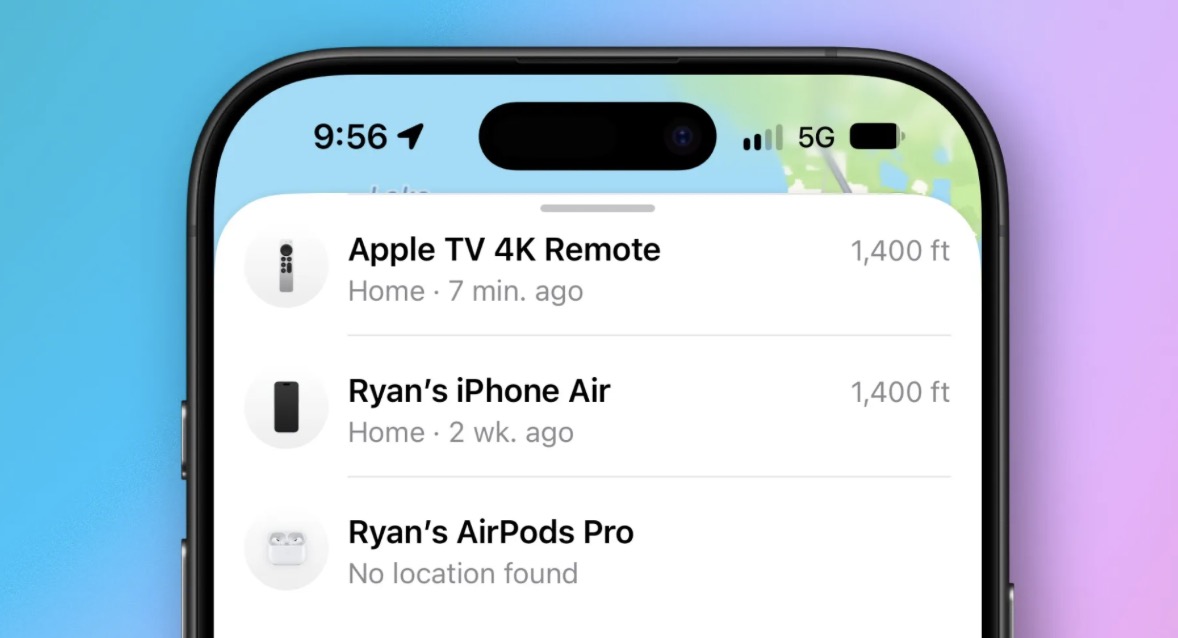
New Siri Remote Adds Precision Finding and Built-in Speaker
The latest fourth-generation Siri Remote takes the experience further with support for Precision Finding and a built-in speaker that can play a sound to help users locate it.
When searching for the remote, an iPhone can provide on-screen directions to guide users toward its location. The combination of visual guidance and audio alerts is designed to make finding a misplaced remote faster and more convenient.
The fourth-generation Siri Remote comes bundled with the fourth-generation Apple TV 4K and is also available separately for US$59.
Apple says the new remote is compatible with all Apple TV 4K and Apple TV HD models. However, Precision Finding requires an iPhone 17 or newer.
The addition of Find My support in iOS 27.2 brings a practical improvement to Apple’s TV ecosystem, making a frequently misplaced accessory easier to track down.