



Samsung is expanding the rollout of One UI 9, its Android 17-based software update, across the Galaxy ecosystem. The latest release introduces enhancements to Galaxy AI, privacy protection, customization, multitasking, and Samsung Health, with a growing number of Galaxy smartphones and tablets now receiving the update.
What’s New in Android 17 with One UI 9?
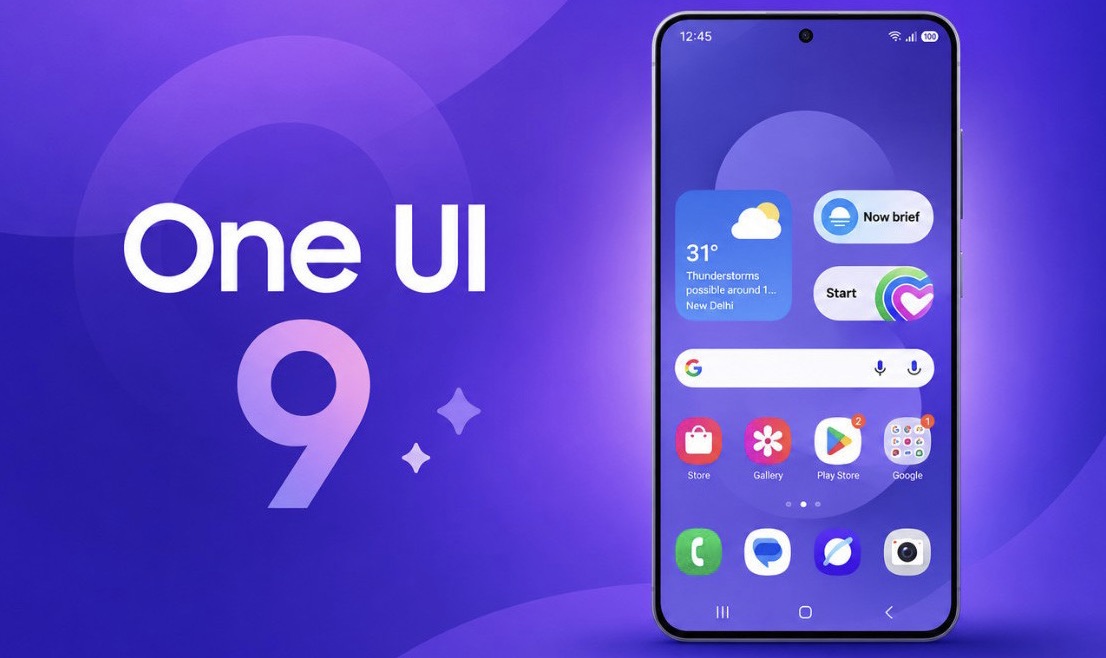
One UI 9 represents Samsung’s latest evolution of its Android experience, focusing on refining the existing interface rather than introducing a complete visual overhaul. Building on the design direction established in previous One UI releases, the update brings additional intelligent features, interface refinements, and improvements to everyday usability.
Among the notable additions are expanded Now Nudge capabilities, automatic video framing through My FanCam, more Quick Panel customization options, AI-powered privacy alerts, and enhancements to Samsung DeX.

Samsung has also introduced a dedicated Warranty and Care section in Settings, redesigned lock screen clock styles, and further improvements to the Galaxy ecosystem.
Samsung Galaxy Devices That Have Received Android 17
Samsung has not announced a definitive global rollout schedule for One UI 9. However, the stable update has started reaching eligible devices in selected markets.
According to the latest available rollout information as of October 29, 2026, the following Galaxy devices have been reported to receive Android 17.
Galaxy S Series
- Galaxy S26, Galaxy S26+, Galaxy S26 Ultra
- Galaxy S25, Galaxy S25+, Galaxy S25 Ultra
- Galaxy S25 FE, Galaxy S25 Edge
- Galaxy S24, Galaxy S24+, Galaxy S24 Ultra
- Galaxy S23, Galaxy S23+, Galaxy S23 Ultra
Galaxy Z Series
- Galaxy Z Fold7, Galaxy Z Flip7, Galaxy Z Flip7 FE
- Galaxy Z TriFold
- Galaxy Z Fold6, Galaxy Z Flip6
- Galaxy Z Fold5, Galaxy Z Flip5
Galaxy A Series
- Galaxy A57, Galaxy A37, Galaxy A27
- Galaxy A17, Galaxy A07
- Galaxy A56, Galaxy A36, Galaxy A26
- Galaxy A16, Galaxy A55, Galaxy A35
- Galaxy A15, Galaxy A54
Galaxy Tablets
- Galaxy Tab S11
- Galaxy Tab S11 Ultra
Other Galaxy Devices
- Galaxy M47, Galaxy M17, Galaxy M07
- Galaxy F17, Galaxy F07
- Galaxy M56, Galaxy M36, Galaxy F36
- Galaxy M35, Galaxy M16, Galaxy M54
- Galaxy F70 Pro
- Galaxy XCover7 Pro
The list is expected to expand as Samsung gradually makes the update available across additional markets and device categories.
Key Features and Improvements in One UI 9
Samsung’s release notes for the Galaxy S26 series outline several major improvements included in One UI 9. Feature availability may vary depending on the device model.
More Intelligent Galaxy AI Features
Now Nudge has been expanded beyond the keyboard, bringing contextual suggestions directly into conversation notifications and a floating on-screen button. It can offer assistance with tasks such as entering reservation information, adding addresses, and saving locations in Google Maps.
My FanCam introduces automatic subject tracking for video content. Users can select a person in a recording, allowing the system to follow that individual and adjust the frame while excluding other areas of the footage.
Samsung has also improved Interpreter, allowing users to scroll through an entire conversation while continuing to communicate in real time. Meanwhile, the call screen can display relevant events and contextual information associated with an ongoing conversation.
More Customization and Improved Multitasking
The Quick Panel offers additional customization options, giving users greater control over the arrangement and appearance of essential controls.
Users can adjust the size of brightness and volume sliders, resize the media player, and separate the sound mode control from the volume slider.
Samsung DeX also receives productivity-focused improvements. Moving application windows between desktops is now more convenient through the window menu, while desktop previews are accessible directly from the Recent Apps screen.
Enhanced Privacy and Device Security
One UI 9 introduces a dedicated Warranty and Care section within Settings. Users can access warranty details, diagnostic tools, and information designed to help maintain their Galaxy devices.
The update also makes it easier to secure a phone quickly. Pressing and holding the Volume Down and Side buttons simultaneously, or selecting the Power button in Quick Panel, activates a secure locking mode that temporarily disables biometric authentication for the next unlock attempt.
Location privacy receives additional attention through a blue indicator displayed at the top of the screen whenever an application accesses location information. Users can tap the indicator in Quick Panel to identify the application involved.
Security notifications are also integrated into Now Brief, alerting users to potential risks involving malware, applications from unknown sources, unnecessary permissions, and other privacy concerns. Applications identified as malicious or vulnerable may be blocked from launching until users decide how to proceed.
AI-powered privacy alerts provide another layer of protection by monitoring application permission usage and notifying users when apps request unnecessary access to personal information.
Redesigned Samsung Health Experience
Samsung Health receives a visual refresh, featuring clearer charts and a more intuitive interface for monitoring personal health information.
Users can customize the home screen by resizing information cards and organizing them into categories such as Activity, Sleep, Mindfulness, and Nutrition. Logging information, including meals and mood, is also more convenient, with camera-based input available for certain entries.
The application introduces improved trend analysis tools, allowing users to examine health information across hourly, daily, and weekly periods. Multiple charts can be overlaid to compare performance and identify changes over time.
When paired with compatible Galaxy Watch or Galaxy Ring devices, Samsung Health provides additional insights into sleep-related measurements and daily health patterns.
Other additions include cardiovascular load tracking, a Fitness Index based on five key fitness measurements, hearing exposure monitoring, and expanded menstrual cycle tracking options.
Bixby Gets New Interaction Options
Bixby introduces a more direct activation method, allowing users to raise their phone close to their mouth and begin speaking without using a wake-up phrase.
Conversation management has also been improved. Users can search, rename, pin, or delete previous conversations. A dedicated Bixby widget can be added to the home screen for quick access to voice commands, text input, and conversation history.
Expanded Accessibility Features
One UI 9 adds several tools designed to make Galaxy devices easier to use.
The new text spotlight feature enlarges and highlights selected text in a separate window, with customizable font sizes and colors. Select to Speak allows users to choose text or images on the screen and have the content read aloud or described.
Samsung has also improved physical keyboard shortcuts, mouse key controls, and TalkBack updates. The latter can now be delivered through Google Play Store app updates, making accessibility enhancements easier to access.
Updated Lock Screen and Samsung DeX
The lock screen features a redesigned clock with a cleaner appearance that can adapt to the user’s wallpaper.
Samsung DeX receives additional refinements to desktop management, including easier application window transfers between desktops and more accessible desktop previews.
How to Check for the Android 17 Update
Samsung is distributing One UI 9 in phases, meaning availability may differ depending on the device model, region, and software configuration.
Galaxy users can manually check for the update by navigating to Settings > Software update > Download and install.
If the update is available for their device and region, the system will display an option to download and install it.
With improvements spanning Galaxy AI, security, productivity, accessibility, and health monitoring, One UI 9 represents another step in Samsung’s efforts to deliver a more integrated and intelligent software experience across its Galaxy ecosystem.